Help › Firefox
Measured Size in Firefox on a computer
Measured Size is an extension: Firefox calls it an add-on, a small extra that works inside Firefox. You add it once. Then, on any bra listing, one click shows your size in that store's own labels.
Add Measured Size to Firefox
-
On your computer, open Measured Size on Firefox Add-ons.
Firefox Add-ons is Mozilla's shop for add-ons. Measured Size is free. Reading this on your phone? Do these steps on your computer: go to measuredsize.com/help there, or search for "Measured Size" in the store.
-
Click "Add to Firefox".
-
Click "Add".
Firefox asks this for every add-on, and lists what it may do. Gap's sites and Target load their sizes as the page opens, so Measured Size may look at those pages as they open. Everywhere else it reads a page only when you click its button, and it sends nothing anywhere.
Put its button where you can see it
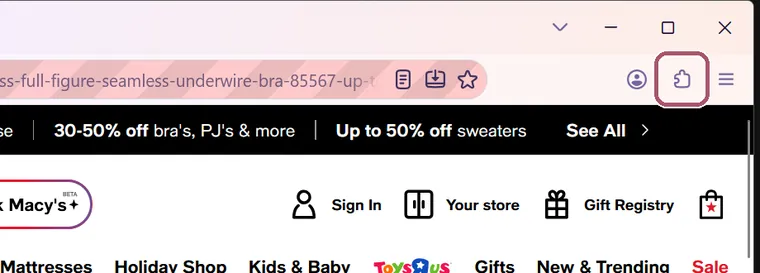
Firefox keeps a new add-on behind the Extensions button, a puzzle piece at the top right. Pinning Measured Size puts its own button on the toolbar, the strip of buttons at the top of Firefox.
-
Click the Extensions button, the puzzle piece at the top right of Firefox.
-
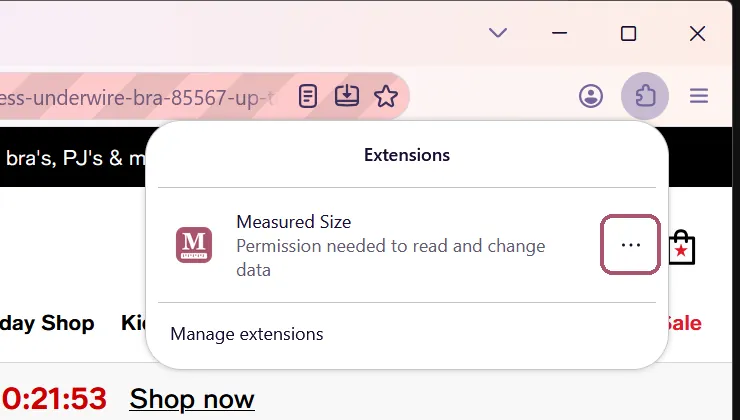
Click the three dots at the right of "Measured Size".
Firefox says "Permission needed to read and change data" under the name. That's expected: apart from Gap's sites and Target, which load their sizes as the page opens, Measured Size reads a page only when you click its button. Leave it as it is.
-
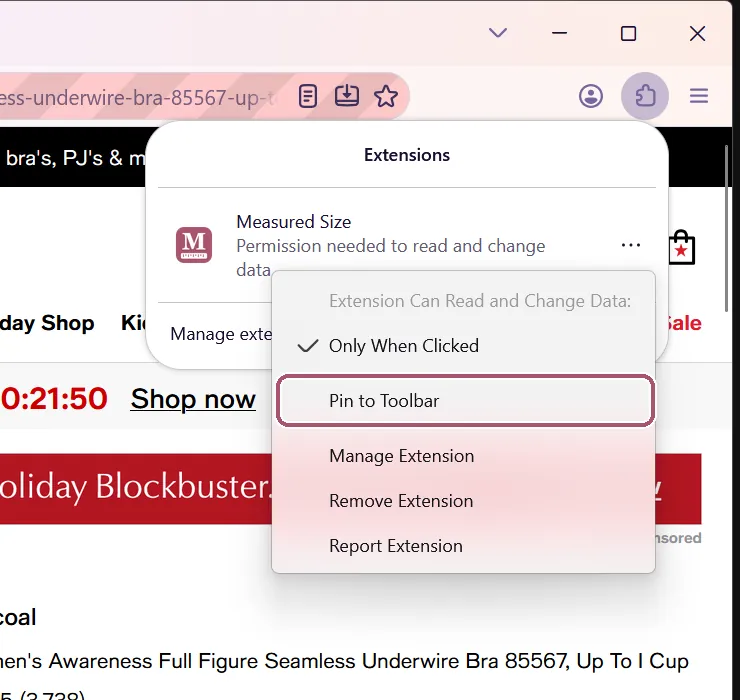
Click "Pin to Toolbar".
-
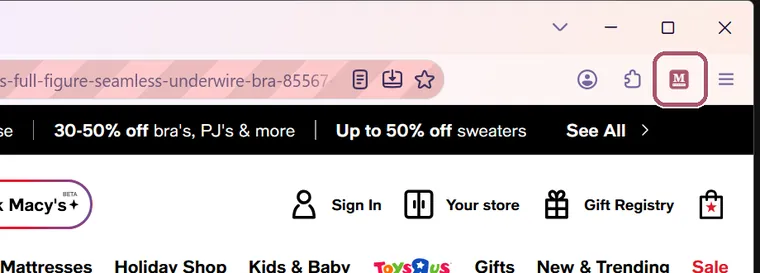
Find the Measured Size button: a pink square with an M, at the top right.
It stays there from now on.
Enter your measurements
-
Click the Measured Size button.
The first time, it asks for two measurements. You only do this once.
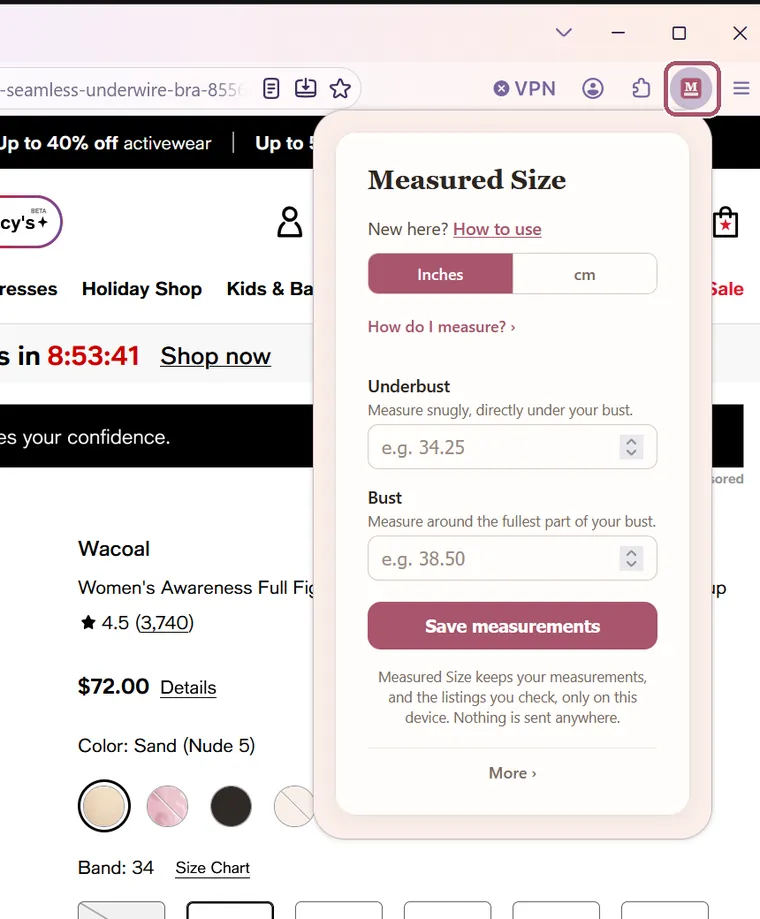
-
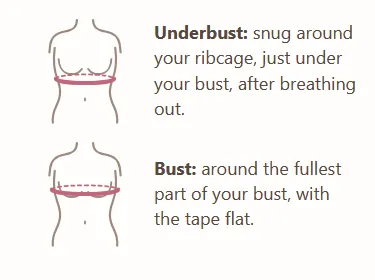
If you need help measuring, click "How do I measure?".
Use a soft tape measure. A drawing shows where it goes for each measurement.
-
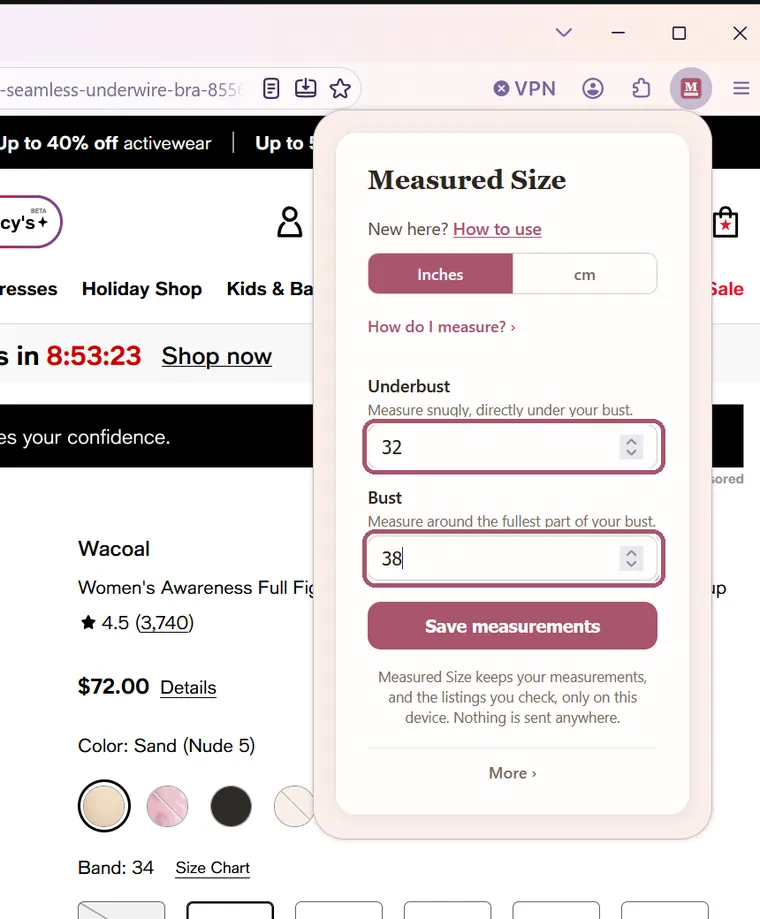
Type your underbust and your bust in their boxes.
If you measured in centimeters, click "cm" at the top of the box first. Decimals are fine.
-
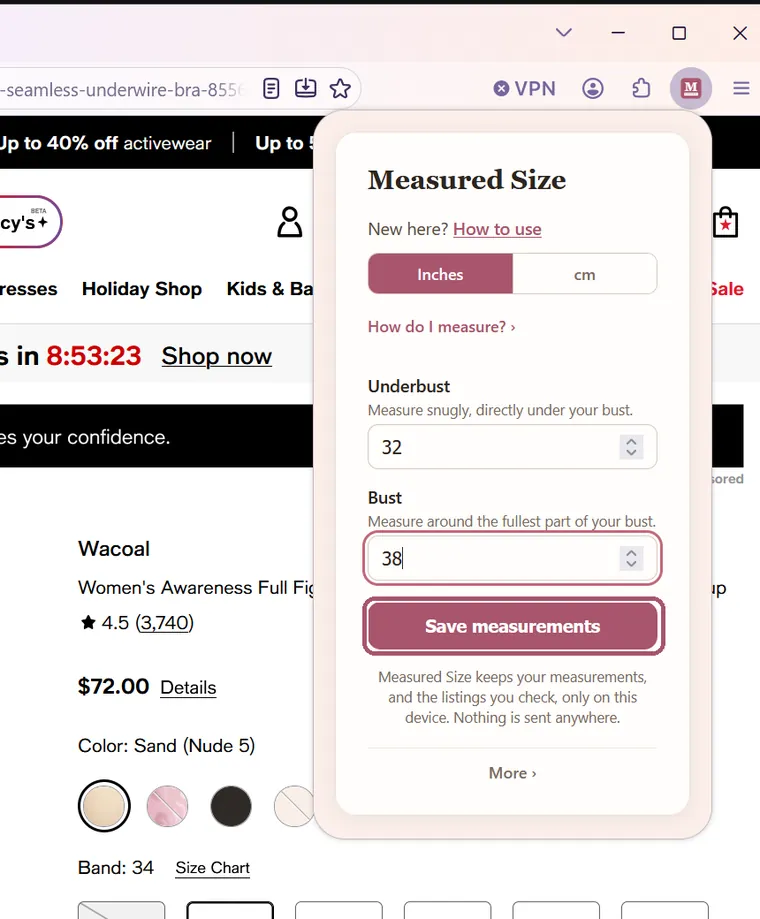
Click "Save measurements".
It says "Measurements saved" for a moment. If you are already on a bra's page, your size shows straight away.
See your size on a bra listing
-
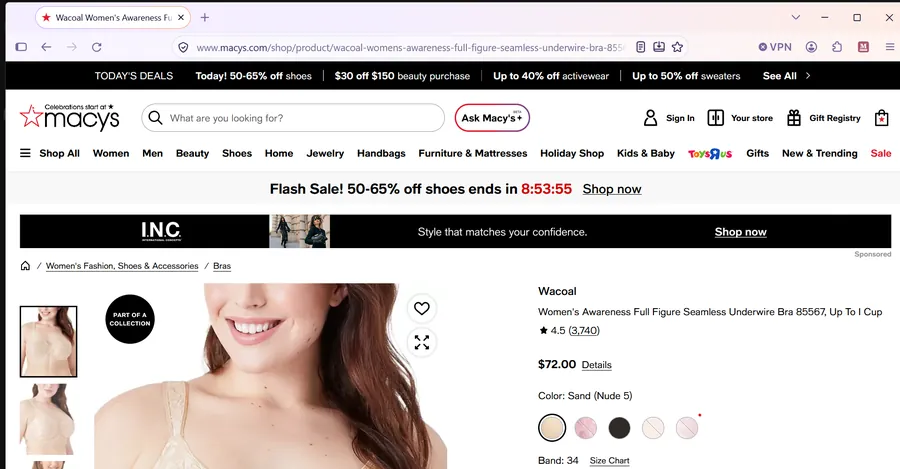
Open a bra's own page in a store, like Macy's, Target or a brand's shop.
A page for one bra, with its sizes, not a page of search results.
-
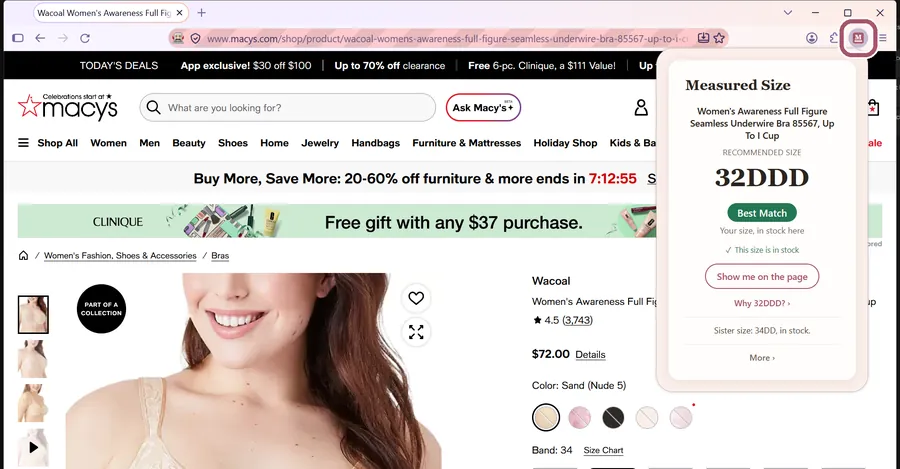
Click the Measured Size button.
-
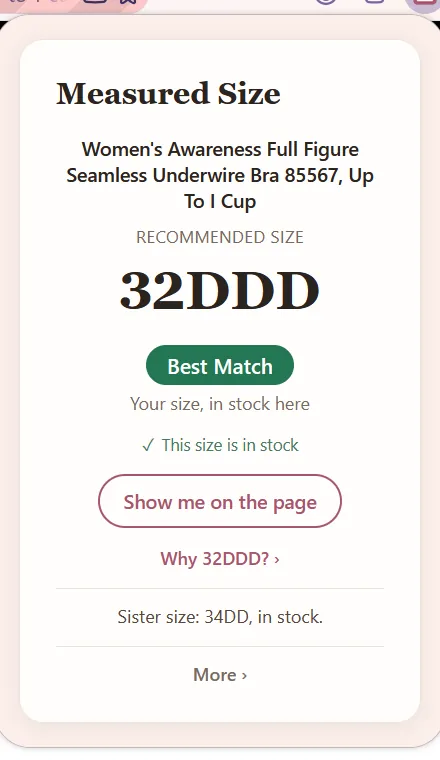
Read your size.
The big size is the one to choose on this listing. The rest of the box is explained on Reading the card. Click anywhere on the page to close it.
-
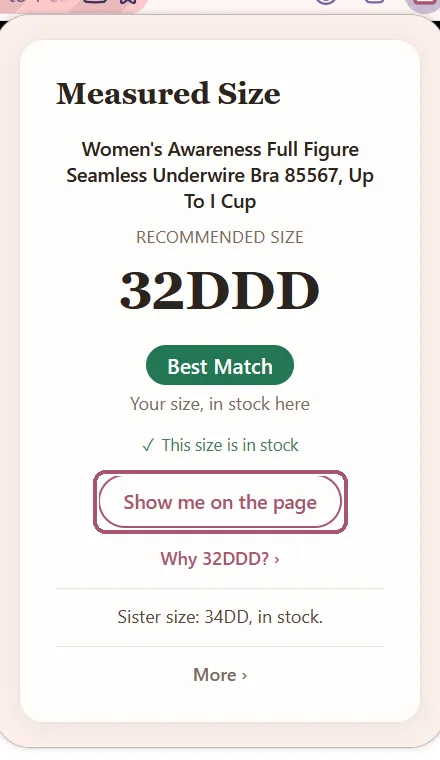
Click "Show me on the page" to find your size on the store's page.
The box closes, and Measured Size outlines your size on the page for a few seconds. It never picks a size for you.
That's it. On every bra listing, click the Measured Size button.
Stuck? See Something's not working, or write to support@measuredsize.com.
Other guides: Chrome · Firefox · iPhone · iPad · Android phone · Something's not working · Reading the card