Help › Reading the card
Reading the card
When you open Measured Size on a bra listing, it shows a card. Here is a real one, part by part.
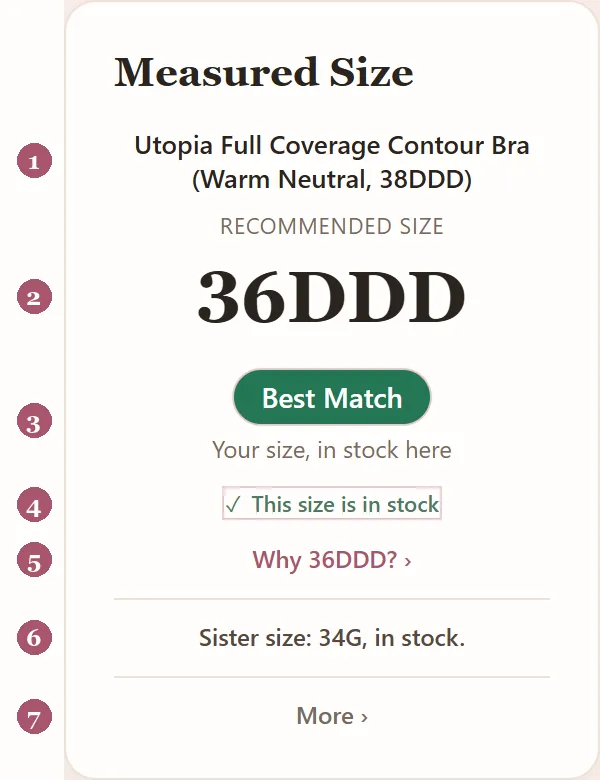
- The braThe name of the listing it read, so you know which bra the size is for. A store's name for a bra can include a size, like 38DDD here. That is not your size.
- Your size hereUnder "Recommended size": the size to choose on this listing, in this store's own labels. A store may call the same size 34DD, 34E or 85E.
- The ratingHow sure Measured Size is, with a few words under it saying why, like "Your size, on this listing". Best Match is a solid green; Strong, Good and Fair Match are soft teal, blue and lilac. Tap the rating, or rest the pointer on it, to see all four:
- The stock line"This size is in stock" when the listing says so. If the store doesn't say, the card says "Check stock when you pick your size". Stock doesn't change the rating of your own size, except that Best Match needs it in stock.
- Why"Why 36DDD?" opens how Measured Size worked it out.
- Your sister sizeThe same cup volume on a band one size smaller or larger, for a snugger or looser band, and whether it is in stock. Worth trying when your size fits almost right.
- MoreOpens the rest: nearby sizes, "Choose a different size" to see the card for a size you pick, "Edit measurements", "Report a wrong size", and help.
On stores where your size is a button on the page, "Show me on the page" sits under the stock line. Tap it and Measured Size outlines your size on the store's page for a few seconds; it never picks a size for you. The first time, a faint box may ring the rating or the stock line: a hint that you can tap them. It shows only once. Red is kept for a real problem, like a size the store doesn't have.
When a store labels your size differently
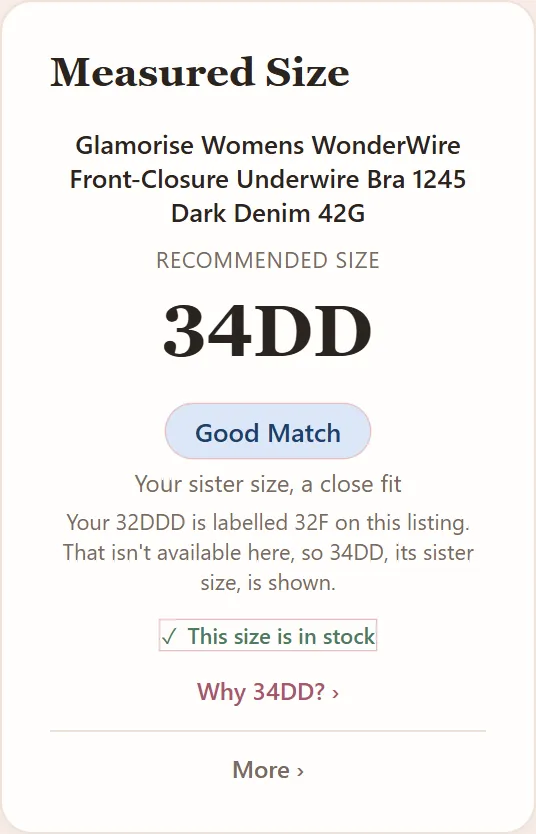
Some stores label sizes differently. If yours is labeled another way there, the card says so, like "Your 32DDD is labeled 32F on this listing." If that size isn't sold here, the card shows your sister size instead, and says so.
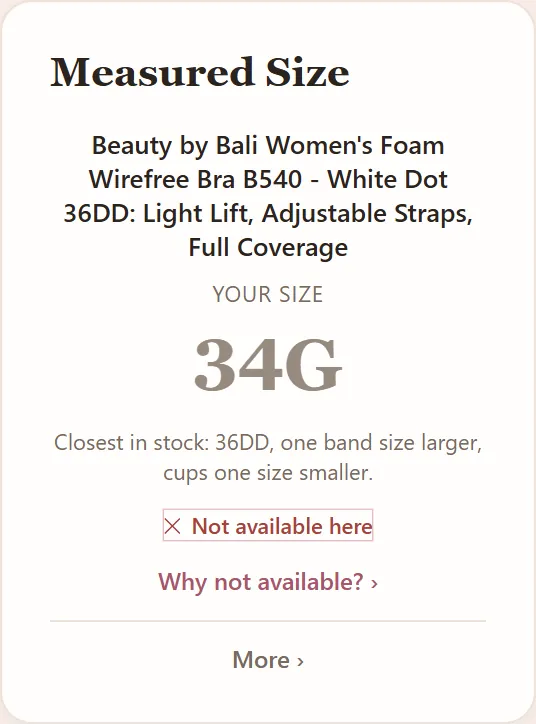
"Not available here"
When the store doesn't sell your size in this bra, the card greys your size, says "Not available here" and names the closest size it has in stock, and how that size differs from yours. "Why?" says more. It says so rather than guess.
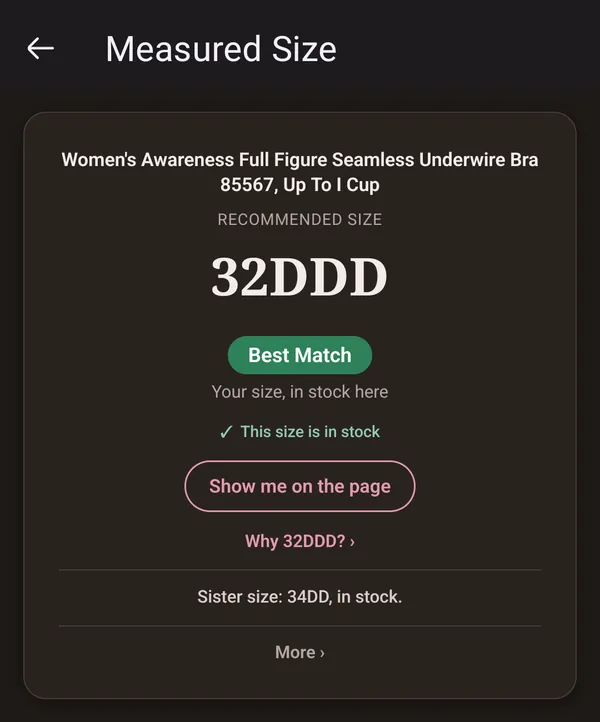
Dark mode and larger text
The card follows your device's own light or dark setting, and its text size. Nothing to switch on.
How Measured Size works out your size, in more detail: How it works.
Other guides: Chrome · Firefox · iPhone · iPad · Android phone · Something's not working · Reading the card